Disclaimer: This guide was automatically translated by AI from the German original. Please verify commands and technical details before using them.
¶ Ender 5 Pro Sprite Extruder conversion
Back to overview: 3D printing guides
¶ Required components
- Sprite Extruder Pro upgrade kit
- BL-Touch sensor, as intended for the Sprite Extruder
- Hotend carriage extension
- Firmware
- Front strut adapter
¶ Converting the front strut
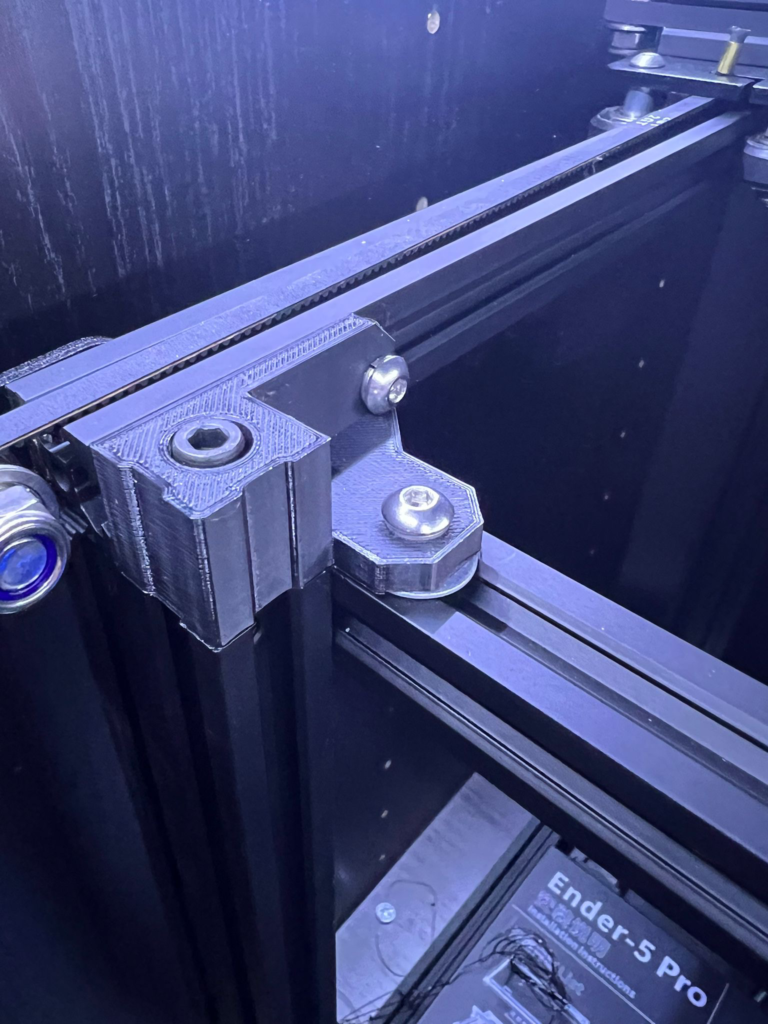
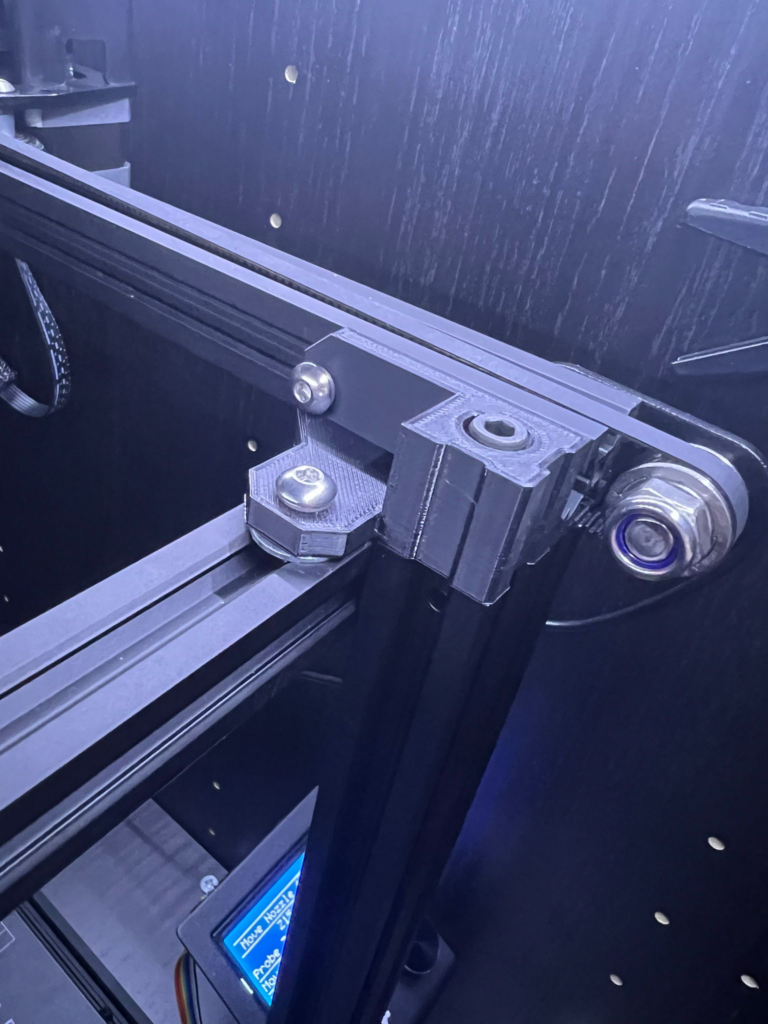
First print the adapters for the front strut and the hotend carriage extension. I used PETG with a layer height of 0.2 mm and 25% infill.
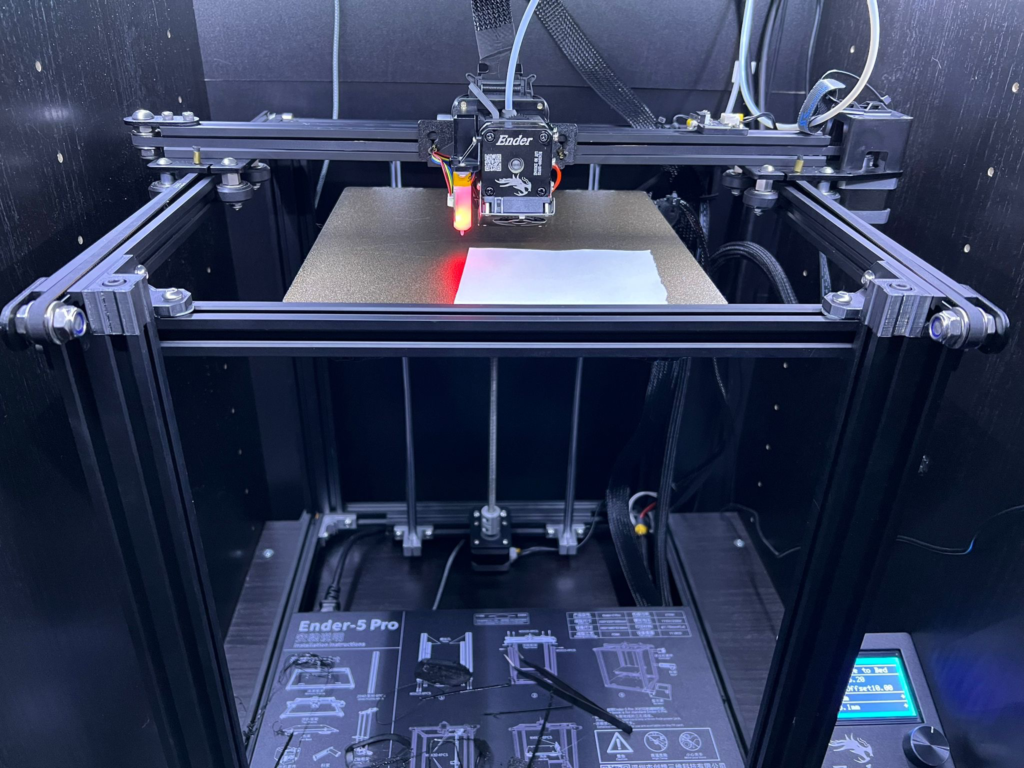
Remove the existing hotend and the front strut. Then mount the strut together with the adapters and the old screws. I also had to add a washer with a thickness of 1 mm.
¶ Hotend mounting
Screw the hotend plate to the back of the carriage. For this you need two M3x6 mm flat-head countersunk screws. Now loosen the lower roller wheel, thread the timing belt through the intended holes, and mount the carriage on the X axis. Reinstall the lower roller wheel and tension the timing belt.
Then mount the hotend and wire it according to the included instructions.
¶ Adjusting the G-code (optional)
If the original carriage hits the left guide after leveling, you can adjust the G-code in your slicer:
G1 X3.5 Y0 F7200 ; Move to a position in the left front of the bed
The complete G-code then looks like this:
M117 Heating... ; Shows a message on the LCD
M204 T1250 ; Sets acceleration
M221 S{if layer_height<0.075}100{else}100{endif} ; Sets flow
M104 S140 ; Set extruder temperature
M140 S[first_layer_bed_temperature] ; Set heated bed temperature
G28 X Y ; Home X Y
G1 Y10 ; Positions the extruder
M84 ; Disables the motors
M109 S140 ; Wait for the extruder temperature
M280 P0 S160 ; Release BLTouch alarm
G4 P100 ; Delay for BLTouch
G28 ; Home
G29 ; Auto-leveling
M500 ; Save
M104 S[first_layer_temperature] ; Sets extruder temperature
G21 ; Sets metric units
G90 ; Absolute positioning
M83 ; Relative distances for extrusion
G1 X3.5 Y0 F7200 ; Positions the extruder in the left corner
G1 Z0.6 ; Moves the nozzle to 0.6 mm above the bed
G91 ; Relative positioning
M109 S[first_layer_temperature] ; Wait for extruder temperature
M190 S[first_layer_bed_temperature] ; Wait for heated bed temperature
G1 F1800 E3 ; Prepare extrusion
G1 Y40 E20 F1000 ; Prints a line
G92 E0 ; Sets the extrusion distance to 0
G90 ; Switches back to absolute positioning
M117 Printing... ; Print message on the LCD