Disclaimer: This guide was automatically translated by AI from the German original. Please verify commands and technical details before using them.
¶ Install curl on Windows
Back to overview: Windows guides
-
Download the files from here.
-
Extract the ZIP file and move the folder to
C:\Windows\System32\. -
Open the Start menu, type
Edit system environment variables, and open it.
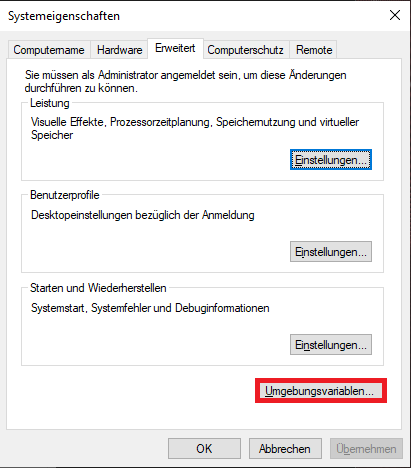
-
Click
Environment Variables; a new window opens. -
Search for
Pathand clickEdit. -
Click
Newand enter the path tocurl.exe:
C:\Windows\System32\curlin
- Confirm with
OK.